User Guide
Plan trips, track expenses, and settle up without the headache
Welcome to TUlon
TUlon is your smart trip planner — everything you need to plan and manage a trip, all in one place: budget and expenses, a daily itinerary, a map, recommendations, a packing list, and sharing with everyone on the trip.
Available everywhere: a native app on Google Play and the App Store (iPhone and iPad), and directly in any browser (www.tulon.app).
Completely free: no payment, no premium, no limits.
Multilingual: Hebrew, English and Spanish — full RTL support.
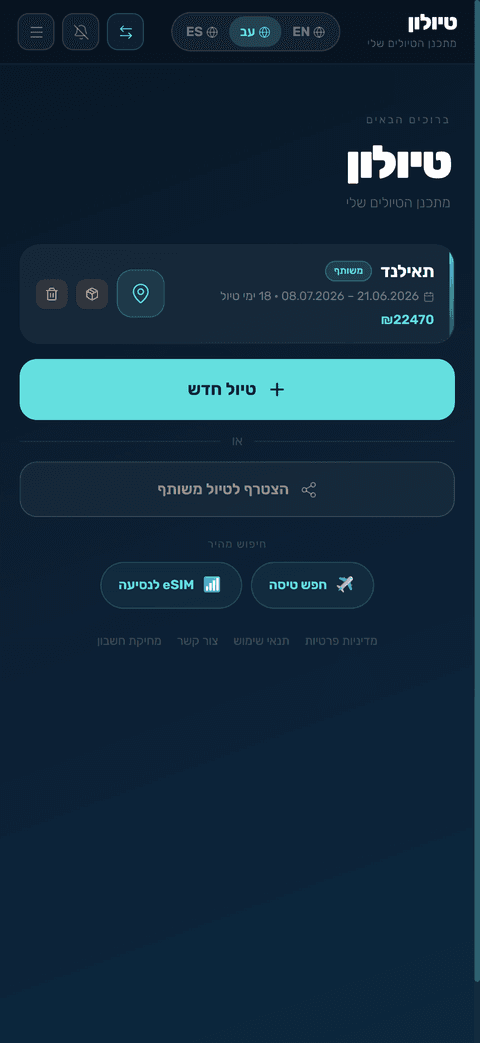
Quick start — creating a new trip
Creating a trip takes 3 easy steps. Only the first is required — you can fill in the rest later.
Step 1 — Where to?
- City: start typing a city name and pick from the dropdown (autocomplete). Choosing a city sharpens the map, recommendations and searches.
- Dates: pick departure and return — the number of nights is calculated automatically.
- Automatic local currency: once you pick a city, the local currency (e.g. Baht for Thailand) is added automatically and set as the default for expenses.
Step 2 — Money & budget (skippable)
- Choose a display currency — the currency your totals and settlement are shown in.
- Add extra currencies as needed (search by code, currency name or country).
- Set a total budget (optional).
Step 3 — Who's coming? (skippable)
- Add trip members — for splitting expenses and settling up.
- Copy a share link or share on WhatsApp so everyone can join.

Expenses & budget
Logging an expense
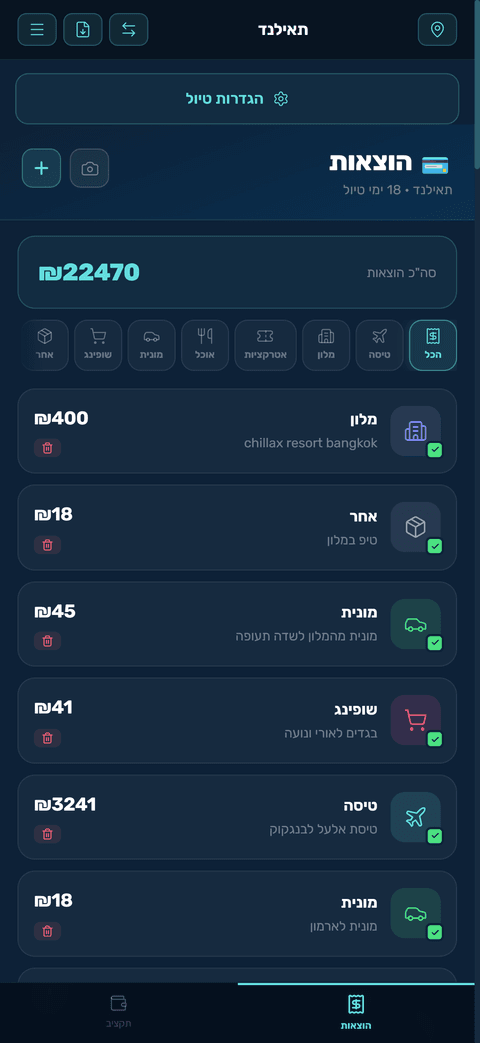
Tap + on the expenses screen. Choose a category (flight, hotel, attractions, food, taxi, shopping, other), amount, currency and date. While the trip is active, the date defaults to today.
📸 Receipt scanning: tap the camera icon, snap the receipt — the app automatically detects the amount, currency and date and files it in the right category. Just review and adjust if needed.
Currencies & conversion
- Every expense is logged in the currency you paid — conversion to the display currency is automatic, at live exchange rates.
- Currency converter: tap the convert icon in the header. It defaults from the local currency to your display currency.
Budget & settlement
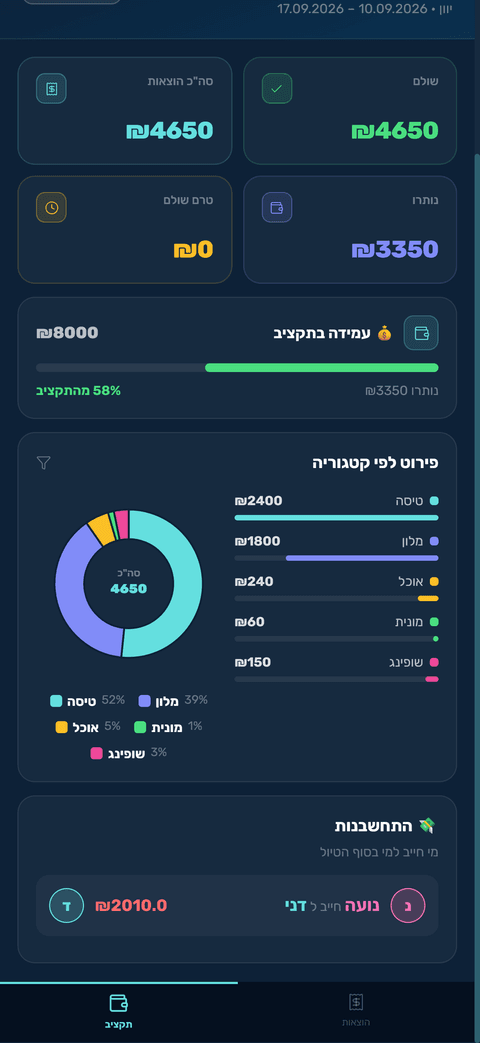
- Set a budget and get a live progress bar and warnings.
- Automatic settlement: at the end of the trip the app calculates exactly who owes whom — transparent and fair.
- PDF export: export a full expense report.
Itinerary & planning
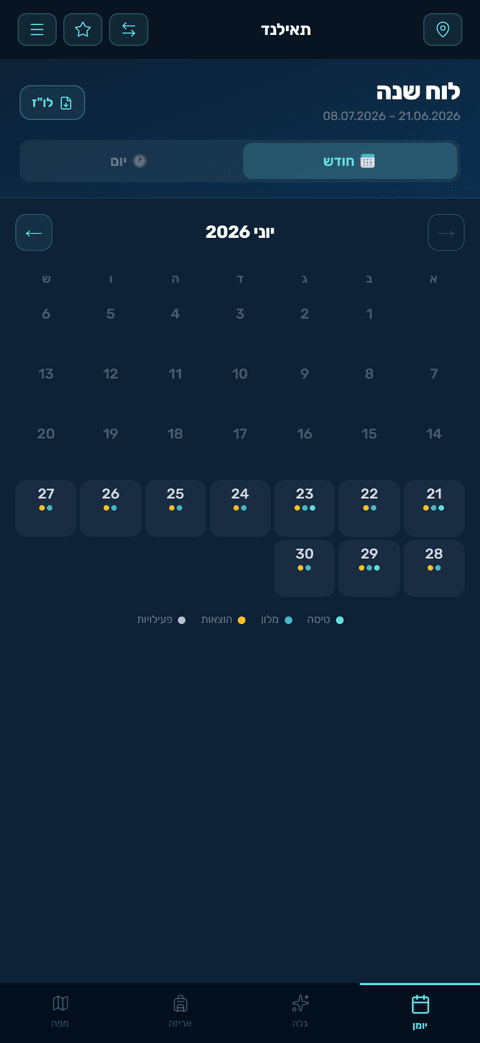
- Plan your trip day by day, with activities and times.
- 24-hour view: see the whole day from midnight to midnight — perfect for flights at any hour.
- Weather: a forecast for each day (up to 15 days ahead).
- Transfer reminder: on days with a flight, a banner appears to book an airport transfer.
Map
A full Google map with all your trip's places — including satellite view and Street View.
- Pins: every expense with an address and every itinerary event appears as a color-coded pin by category.
- Place search: search for a restaurant or attraction, and add it as an itinerary event (with a time) or as a new expense.
- Filter by day: show only the places for a specific day.
- Day route: an optimized walking route between the day's places, in time order, with time and distance.
- My location: a button that shows where you are on the map during the trip.
"Discover" — recommendations
- Top attractions & restaurants: real recommendations from Google, with ratings and review counts.
✡️ Kosher filter: check "Kosher" to see only genuine kosher restaurants near your destination. Always verify the kashrut level with the local Chabad House.
- Bookings: quick links to book flights, hotels, attractions, eSIM and transfers — all from within the app.
Packing list
Manage your gear by category (documents, clothing, electronics, medical and more), check off packed items, and add your own. The list syncs with everyone on the trip.
Quick-add widget (Android)
Android users get a home-screen widget — add it like any other widget (long-press the home screen → Widgets → TUlon). Tapping one of the four buttons (scan a receipt, food, taxi, attraction) opens the expense form directly with the category already filled in — no need to open the app and navigate.
Sharing & group
- Share by link: send a link on WhatsApp — anyone joins with one tap.
- Real-time sync: every change updates instantly for all members.
- View only: you can share with members in view-only mode.
Trip archive
A finished trip can be moved to the archive (the button appears on trips whose end date has passed). Archived trips become view-only and appear under "Past trips" on the selection screen. You can always restore from the archive.
Settings & more
- Languages: Hebrew, English and Spanish — from the menu (☰).
- Notifications: enable alerts for flight reminders and trip updates — they work even when the app is closed.
- Sign in: with a Google account or email + password (including "Forgot password").
- Menu (☰): reachable from any screen — trip settings, sharing, language, user guide, contact and sign out.
Final tips
- Scan receipts during the trip — faster than typing, and everything's organized by the end.
- Add an address to expenses (hotel/attraction) so they appear on the map.
- Mark who paid for each expense — so the final settlement is accurate.
- Set a budget upfront to track in real time and never overshoot.